
A Shopify app stack audit should answer two questions together: what are you paying, and what would break if a component disappeared? Uninstalling an app can change a workflow without proving that every external subscription or pending charge has ended.
Start with bills and customer obligations, then plan any authorized change. You need Shopify billing records, vendor invoices, installed-app access, workflow owners and a safe way to verify the affected customer journey. Gathering the inventory is a bounded desk task; confirming billing cessation can require a later statement.
The $91 reconciliation below is hypothetical. No app was installed, uninstalled or cancelled for this guide.
1. Inventory what each app actually does
List installed apps, custom integrations and externally purchased services that connect to the store. Capture the vendor, account holder, permissions, billing owner, business function and person who understands it. Include components that are inactive in the interface but still have accounts or invoices elsewhere.
Describe the function concretely. “Marketing app” is insufficient if the app also stores consent records, runs a post-purchase message and supplies a discount that a customer expects. A removal decision needs those dependencies.
Use a simple inventory:
| Component | Live responsibility | Dependency | Evidence owner |
|---|---|---|---|
| App A | Sends a defined order message | Order event and customer address | Store operator |
| App B | Supplies subscription management | Existing subscriber workflow | Subscription lead |
| Old service | No confirmed current function | Pending vendor bill | Billing owner |
Trace one real workflow at a time using authorized records. Ask what initiates it, what information leaves Shopify, where the result is stored and what happens on failure. Never expose customer information in a shared audit sheet simply to make the diagram detailed.
If nobody can explain an app, mark its purpose unresolved. Lack of a known owner is a reason to investigate, not proof that removal is safe. Check old operating instructions, vendor records and the person who originally configured it.
2. Join Shopify bills to external invoices
Shopify's app-charge guidance distinguishes recurring, usage-based and one-time charges, credits and externally billed arrangements. The installed-app list is therefore not a complete cost ledger.
Export or inspect the relevant Shopify billing period and collect vendor invoices for the same period. Match by app, vendor, service period, currency and account. Record payment date separately from service date so that delayed charges do not look like duplicate subscriptions.
Check business-card and payment-account statements for unexplained vendors, using access appropriate to your role. A vendor name may differ from its app name. Resolve that identity before deciding that a charge is unrelated.
For each line, mark whether it is billed, paid, pending, credited or disputed. A pending charge may still become payable after a change. A promised credit is not collected cash until the appropriate billing or payment record supports it.
If a bill cannot be reconciled, ask the vendor or Shopify about the specific line item and preserve the answer. Do not manufacture a saving by omitting an awkward charge from the comparison.
3. Separate recurring, usage and old obligations
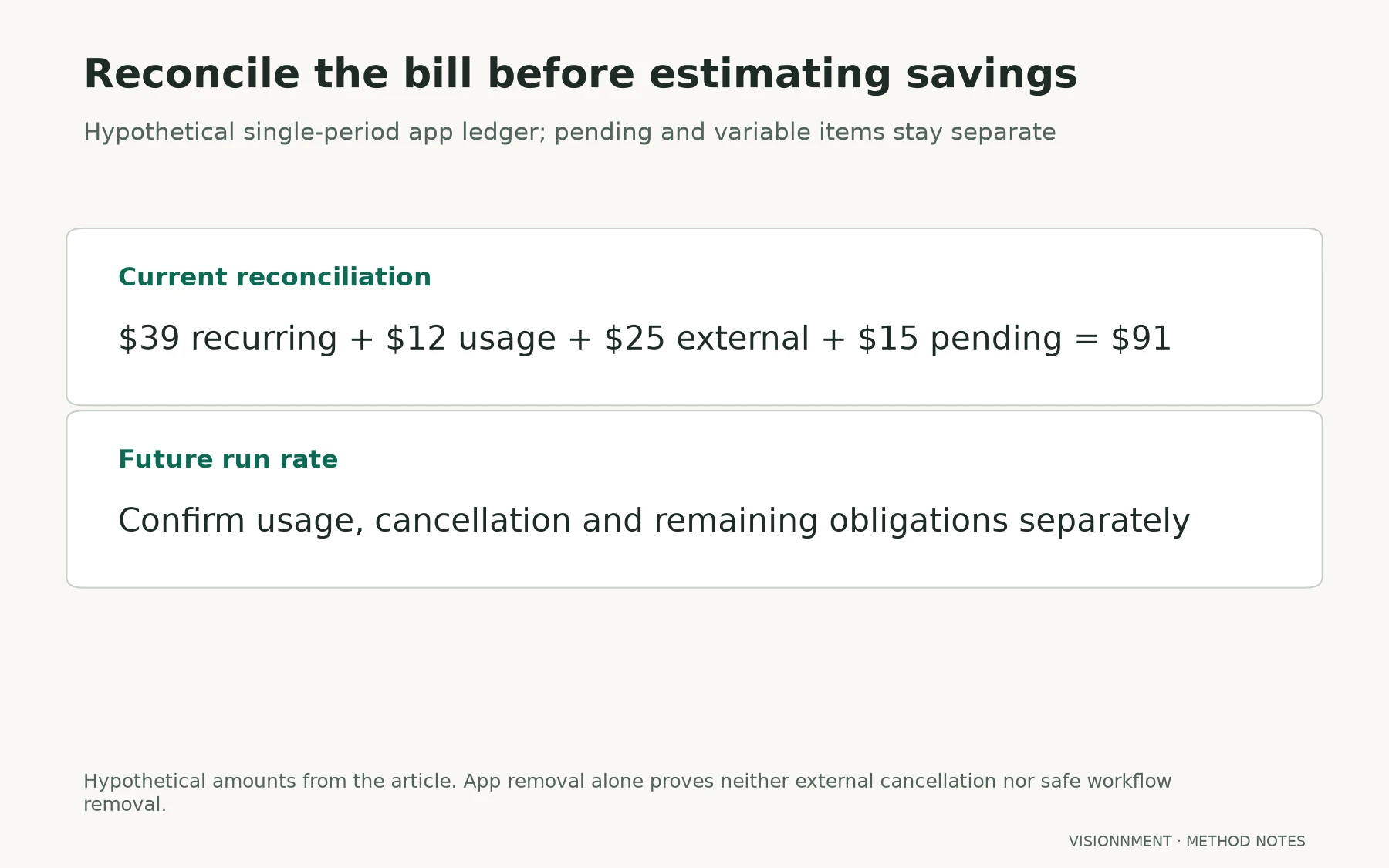
In the fictional period, App A has a $39 recurring charge and $12 of usage. App B is billed externally at $25. A $15 old pending charge also belongs in the reconciliation.
| Item | Hypothetical amount | Treatment |
|---|---|---|
| App A recurring | $39 | Continuing subscription cost |
| App A usage | $12 | Variable charge for the defined period |
| App B external | $25 | Separate vendor billing |
| Old pending charge | $15 | Existing unresolved obligation |
| Total to reconcile | $91 | Not all recurring run rate |
The total is $91, but projecting $91 every month would incorrectly treat the old charge and current usage as fixed recurring fees. Equally, reporting only the $39 Shopify subscription hides the external and pending items.
Build two views: obligations for the current reconciliation and expected future cost under stated usage. Include the evidence and date behind each assumption. If usage changes materially, update the estimate rather than describing the difference as a pricing error.
Do not treat app removal as a credit for prior service. Inspect the actual billing terms and cancellation route, including any external agreement. The relevant question is which obligations end, when they end and what record will confirm that.
4. Map obligations before removal
Subscription, fulfilment and customer-communication tools deserve particular care. Shopify's subscription considerations describe continuing dependencies around subscription operation. Removing a supporting component without understanding the active customer workflow can affect more than a monthly software bill.
Write acceptance conditions for each affected function. An order message must reach the intended test recipient with correct information. A subscription customer must have the supported management route. Consent and order records must remain available to the authorized operator.
List stored data and export needs, but do not assume every export preserves every obligation. Check the usable format, destination permissions, retention requirements and whether a replacement can import the information. A file existing on someone's laptop is not an accepted operating handover.
Inspect storefront code or theme integration with appropriate technical help. App uninstall and removal of every custom snippet are different tasks. Conversely, deleting unfamiliar code indiscriminately can break a live feature.
If a dependency remains unknown, defer the removal or isolate the uncertainty in a safe test. The potential monthly saving does not justify abandoning a paid customer promise.
5. Design a reversible change and verify billing separately
Choose one component and define the replacement or no-replacement outcome. Record the authorized person, change window, backup or export, rollback method and expected failure signal. Use a supported test or duplicate environment where possible before changing a live purchase path.
Run the representative task before and after. For App B, the check might cover placing an authorized test order, receiving the expected event and finding the correct record. Use synthetic customer details and avoid real charges unless a separately authorized, supported procedure requires them.
If the task fails, restore the known working path and investigate. Keep evidence of the failure; do not report the app saving while staff quietly perform an expensive manual workaround.
Handle billing as its own acceptance track. Confirm the external vendor cancellation, effective end date and outstanding charges. Review the next relevant statement. A storefront task passing says nothing about whether the separate subscription still renews.
Calculate realized savings only after accounting for replacement service, implementation work and continuing manual effort. An app that disappears from the list but leaves $25 external billing has not produced the claimed saving.
6. Hand over permissions, ownership and continuing costs
For a continuing operator, retain the updated inventory and reconciliation. For a buyer, also identify which accounts, payment identities and vendor arrangements require action. Shopify's ownership-transfer guidance separates store ownership from billing, payment and third-party dependencies.
Receiving store access does not prove that an external vendor has accepted the new contracting party. Obtain the relevant confirmations and record unresolved items. Avoid sharing personal master credentials as a substitute for a supported ownership process.
Keep a change log with the original function, decision, test evidence, billing confirmation and fallback. This is more useful to a successor than a screenshot showing fewer installed apps.
If the app work is part of a broader ecommerce acquisition, use the FBA and ecommerce preflight to reconnect the stack to inventory and operating needs. When you eventually prepare the website for sale, include the continuing software and owner work in the earnings evidence.
Resolve a split acceptance result
Suppose the replacement workflow passes but the external vendor still bills. Keep the operational change accepted and the billing issue open; assign the cancellation follow-up rather than undoing a useful technical result automatically. Conversely, a final bill showing no renewal does not justify removing the rollback while customer delivery remains broken. Track both conditions with separate dates and owners. The audit is complete only when its stated workflow and financial questions are resolved or explicitly carried forward as obligations.
Common questions
Can I uninstall everything without recent usage?
First verify what “usage” measures. An infrequent compliance, export or renewal task can still matter. Trace the obligation and test the replacement before removal.
When is a cancelled app truly off the cost sheet?
When its cancellation terms, effective date and outstanding bills are reconciled. Retain historical obligations separately from the future run rate and check the relevant subsequent statement.
What if a cheaper replacement adds manual work?
Price that work and any new failure handling. Choose on the whole workflow's contribution and reliability rather than the subscription line alone.