
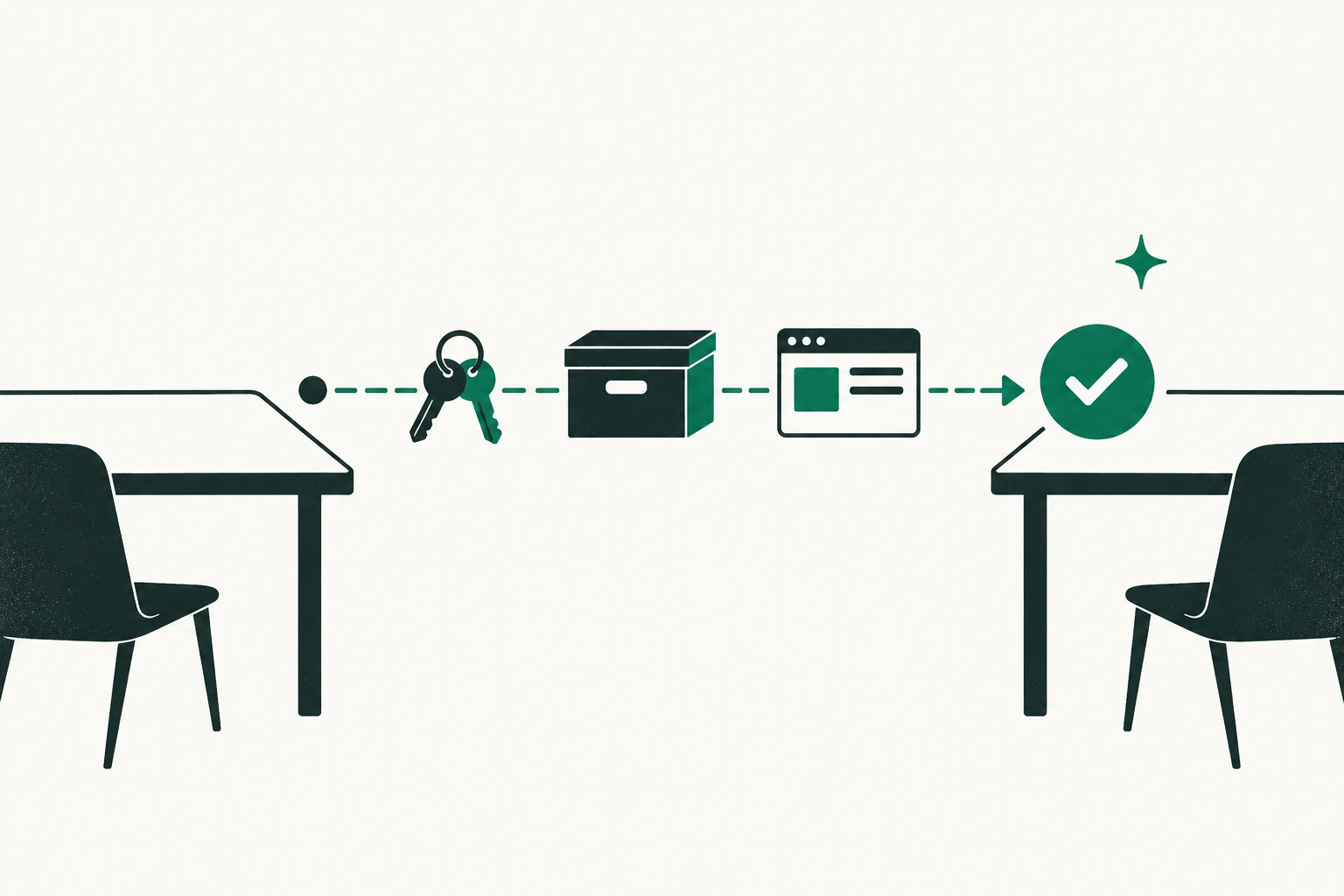
A website handover checklist turns a signed sale into buyer control without avoidable downtime, locked accounts, lost email, broken analytics, exposed secrets, or arguments about whether delivery is complete.
The handover is not one giant password exchange. It is a sequenced transfer of assets, authority, access, knowledge, billing, and recovery methods, followed by evidence and acceptance. Some systems transfer. Others require the buyer to create a new account, obtain approval, change identifiers, or migrate data.
This is a general operational framework, not legal, tax, privacy, employment, escrow, or cybersecurity advice. Follow the signed transaction documents and the instructions of the parties’ advisers and payment provider. Do not transfer control early merely because a checklist says an item is ready.
The short answer
For every asset or account, record:
- included or excluded status;
- current owner and administrator;
- buyer prerequisite;
- transfer or replacement method;
- planned time and dependency;
- rollback or contingency;
- test and acceptance evidence;
- person authorized to approve; and
- seller-access revocation date.
Sequence the handover around signed authority and payment conditions. Establish buyer control before removing the last working seller administrator. Rotate secrets after control is confirmed. Keep DNS and email changes observable and reversible until acceptance.
Before closing: build the transfer control sheet
Create one row for each material asset. These illustrative roles show a completed responsibility pattern; the parties must name their actual authorized operators:
| ID | Asset/account | Current controller | Transfer method | Buyer prerequisite | Dependency | Test | Acceptance owner | Seller removal |
|---|---|---|---|---|---|---|---|---|
| D-01 | Primary domain | Seller operations | Registrar transfer/account change | Verified buyer account | Closing authority | Buyer can manage domain and recovery | Buyer operations | After buyer acceptance |
| H-01 | Production hosting | Seller technical lead | Account transfer or migration | Billing and admin ready | Backup and DNS plan | Site and jobs pass smoke test | Buyer technical lead | After restore and continuity acceptance |
| A-01 | Analytics property | Seller analytics lead | Add buyer admin; later remove seller | Named buyer account | Identity and privacy review | Buyer sees correct property/settings | Buyer analytics lead | After correct scope is verified |
The signed asset schedule controls what is sold. The handover sheet controls how delivery is executed. Reconcile the two and list every exception.
Bring forward the relevant records from the online-business sale data room, but do not reuse temporary diligence permissions as permanent operating access automatically.
Set handover gates
Use explicit gates:
- Ready: inventories, backups, buyer accounts, billing, consents, and runbooks complete.
- Authorized: closing agent or transaction documents permit the transfer step.
- Control transferred: buyer has the intended owner/admin role and recovery method.
- Tested: the service works under buyer control.
- Accepted: named buyer representative signs or records acceptance.
- Seller removed: seller accounts, tokens, and payment methods are revoked as agreed.
- Closed: evidence is archived and post-close support begins.
Never mark “transferred” merely because an invitation was sent. Record the buyer’s successful login, role, billing, recovery, and operational test.
Step 1: freeze avoidable change and capture recoverable backups
Set a change window proportionate to the business. During handover:
- pause nonessential releases, redesigns, vendor changes, and DNS work;
- continue ordinary customer service, security fixes, fulfilment, and publishing as agreed;
- log every emergency or authorized change;
- capture database, files, media, configuration, repository, automation, and DNS exports;
- verify backup completion and perform a restore test in a safe environment where practical;
- preserve analytics annotations, server logs, and incident records; and
- document the exact production version at the handover start.
A backup that has never been restored is an untested claim. Define the restore owner, environment, expected result, and evidence.
Do not place database dumps, secrets, or personal data in an ordinary shared folder. Use the approved encrypted channel and retention controls.
Step 2: transfer ownership evidence and asset files
Deliver the included:
- executed assignments and consents;
- trademark, domain, copyright, and license records;
- content, design, media, font, data, and code inventories;
- editable source files and production exports;
- contractor and employee rights records approved for transfer;
- customer, vendor, partner, and platform contracts;
- operating policies, disclosures, and compliance records; and
- open disputes, exceptions, and excluded assets.
Keep a manifest with file counts, hashes where appropriate, version, delivery time, and recipient acceptance. “All content” is not a useful acceptance standard if nobody can identify the files.
If a license cannot transfer, record the buyer’s replacement requirement, cost, deadline, and test. Do not copy software or media outside its license terms.
Step 3: transfer the domain without improvising DNS
Decide whether the domain will move between registrars, change registrant/account control within the same registrar, or follow another approved route. Confirm:
- domain and all included variants;
- registrar, registry status, expiration, auto-renewal, and payment method;
- registrant and administrative contact data;
- transfer lock and authorization-code procedure;
- DNSSEC, nameservers, zone records, and DNS provider;
- account MFA and recovery methods;
- known holds, disputes, or transfer restrictions; and
- buyer registrar-account readiness.
ICANN’s current domain-transfer resources explain the policy framework for transfers between accredited registrars for covered generic top-level domains. The current policy includes registrar handling of transfer locks and AuthInfo codes. Registry, domain, registrar, and transaction-specific rules still matter.
Export the DNS zone and take screenshots or structured records of live values before change. A registrar transfer does not always require a nameserver change. Avoid combining registrar, DNS, host, and email migrations in one unobservable step unless the systems force it and a tested plan exists.
Document TTLs, mail authentication, rollback, and downtime controls in the transfer plan. Confirm changes with the current DNS and email administrators before switching ownership.
Step 4: preserve business email and identity
Email is both a business channel and a recovery dependency. Inventory:
- provider, tenants, domains, aliases, groups, shared mailboxes, and routing;
- administrator and break-glass accounts;
- MX, SPF, DKIM, and DMARC records;
- retention, archive, legal hold, and export requirements;
- application mail, forms, receipts, and support routing;
- accounts that use seller email for login or recovery; and
- personal or excluded mail that must not transfer.
Create buyer-controlled administrators before removing seller control. Update recovery addresses and phones. Test inbound, outbound, forwarding, form delivery, authentication alignment, and critical notifications.
Do not transfer a person’s mailbox wholesale merely because it contains business messages. Separate business records from personal and legally restricted information with professional guidance.
Use the domain, DNS and business-email transfer checklist for the detailed record export, cutover and delivery checks. Keep the overall asset schedule and acceptance decision in this handover plan; a domain move alone does not complete the sale.
Step 5: transfer hosting, infrastructure, and deployment
Inventory and sequence:
- cloud or hosting organizations and projects;
- CDN, firewall, storage, database, queue, cache, and search services;
- environments, regions, quotas, and billing;
- repositories, branches, packages, registries, and deployment pipelines;
- scheduled jobs, webhooks, integrations, and service accounts;
- observability, uptime, logs, alerts, and incident channels;
- backups, restore points, and disaster recovery; and
- infrastructure licenses, reserved capacity, and support plans.
For each service, decide between organization ownership transfer, adding buyer administrators, or migrating to a buyer account. Update billing without removing the technical owner prematurely.
GitHub’s official organization ownership guidance instructs the current owner to add a new owner, confirm settings access, update billing, and then remove themselves. Other systems have different sequences; use their current documentation.
Run smoke tests under buyer control: public pages, login, checkout or lead flow, background jobs, webhooks, backups, deploy, rollback, alerts, and administrative actions appropriate to the business.
Step 6: hand over content, commerce, and monetization systems
Cover:
- CMS and content models;
- users, roles, workflow, scheduled posts, and drafts;
- media library and source assets;
- redirects, sitemap, robots, structured data, and search settings;
- ecommerce catalogue, orders, refunds, tax, shipping, and fulfilment;
- affiliate links and network identifiers;
- advertising tags, sellers files, consent, and reporting;
- subscription, member, lead, or customer systems;
- pricing, coupons, automations, and lifecycle messages; and
- moderation, editorial, and quality controls.
Many monetization accounts cannot simply be renamed. The buyer may need approval and new IDs. Define the cutoff: which party receives pre-close revenue, handles later refunds or chargebacks, and owns pending commissions.
Test at least one safe, traceable business journey from visit through the relevant customer action and notification. Avoid live charges unless the plan authorizes them.
Add provider conditions and notice deadlines to the acceptance record
Shopify ownership guidance, reviewed November 16, 2026: Distinguish changing ownership to an existing user from transferring a store to someone outside the store or organization. The transfer guidance says a store using Shopify Capital or Shopify Credit cannot undergo the stated transfer. An active Shopify Balance account must be emptied and Shopify Support contacted. For an outside-organization transfer, the guidance requires Shopify Payments to be deactivated first; if its business information must change, contact Support. These are provider conditions, not permission to bypass financing or payment obligations.
If outstanding billing has not reached the billing threshold at transfer, the new owner is responsible for it under the guidance. Record the amount, responsibility and settlement in the handover schedule. Confirm the current supported branch for the actual account and transaction before choosing a cutover date. Administrator access alone does not resolve financing, bank details, old charges or connected-service ownership.
| Dependency | Condition to establish | Evidence owner | Clock or cutoff | Acceptance state |
|---|---|---|---|---|
| Advertising, payments or app store | Current approved buyer/entity route | Named buyer and provider | Actual earning and service dates | Accepted or specifically unresolved |
| Store financing and billing | Applicable clearance, consent or supported treatment | Seller, buyer and provider | The actual transfer condition | Evidence retained |
| Payment inspection | Controlling instructions and deficiency process | Buyer and selected payment provider | Exact deadline and time zone | Notice or acceptance recorded |
The payment clock deserves its own gate. Flippa's payment terms include deemed-acceptance conditions; avoiding a release button is not indefinite protection. Agree the deliverable tests, delivery event, notice channel and response deadline before relying on the process. Use the FlippaPay/Escrow.com inspection method and the named ad-network continuity guide for those different procedures. A transferred login, an approved provider route and a completed operating test remain separate evidence.
Step 7: transfer analytics, search, advertising, and communications accounts
Create a named access matrix for:
- analytics and tag management;
- Search Console and webmaster tools;
- advertising and merchant accounts;
- social channels and video properties;
- email marketing, CRM, support, forms, and call tracking;
- affiliate and sponsor platforms; and
- reporting warehouses or dashboards.
Google says a verified Search Console owner has the highest permission level and access to sensitive site information. Its ownership guidance says a new owner can verify, then remove previous owner tokens. Google also warns that removing a token can affect other services that reuse it, so inspect before deletion.
Google Analytics has separate administrator, editor, analyst, marketer, and viewer roles. Confirm that the buyer holds the intended account or property scope—not merely access to one report.
For MFA, recovery, service accounts, logs, secret rotation, and revocation, maintain a named account-by-account acceptance record and confirm it with both parties before closing.
Step 8: transfer vendors, people, and operating knowledge
Create a relationship schedule:
- vendor or contractor;
- service and business owner;
- contract status, notice, consent, renewal, and billing;
- access held;
- open work and deliverables;
- transfer, replacement, or termination decision;
- introduction owner and timing; and
- buyer acceptance.
If the buyer will recruit an operator, the first-operator role and acceptance guide helps define representative work, restricted actions and escalation before counting that role as available capacity.
Communicate in the sequence approved by the agreement and advisers. Do not promise continuing employment, work, or commercial terms without authority.
Training should cover routine work and exceptions:
- daily, weekly, monthly, quarterly, and annual tasks;
- how metrics and financials are produced;
- publishing, fulfilment, support, refunds, and quality control;
- releases, backups, restoration, monitoring, and incidents;
- customer, merchant, platform, and vendor escalations;
- known defects and workarounds; and
- upcoming renewals, campaigns, deadlines, and risks.
Record sessions when lawful and agreed. Pair each session with the SOP, owner, date, questions, and a buyer-performed task. Watching the seller operate is not the same as demonstrating buyer capability.
Add platform-specific continuity gates for connected assets
Changing an owner role does not transfer every service that produces revenue. Build a separate row for each platform, payment relationship and backend dependency. Preserve current reports before changing access. These are operator checks to perform with authority, not evidence that a particular transaction has already passed.
Mobile apps and subscriptions
Apple's app-transfer overview requires eligibility checks, preparation and acceptance by the receiving Account Holder. Google Play's transfer guidance requires active, compliant accounts and additional payment readiness for paid apps or in-app products. Use the actual app's criteria and integrated-service requirements; selling developer credentials is not the transfer process.
Complete a schedule such as this hypothetical example:
| Component | Buyer prerequisite | Acceptance exercise | Exception if incomplete |
|---|---|---|---|
| Store listing/app | Eligible receiving developer account | Authorized recipient confirms transferred app identity | Platform transfer remains open |
| Source/build system | Repository, signing and release permissions as applicable | Buyer builds the included version under approved process | Transfer of listing alone is insufficient |
| Subscription service | Store/processor and entitlement dependencies mapped | Authorized test checks purchase/restore and receipt validation | Do not infer revenue continuity from installs |
| Backend/API | Buyer billing, secrets and service ownership | Login, useful task, notification and scheduled job pass | Keep backend migration open |
| Reporting | Saved sales, cohort and financial reports | Buyer reconciles agreed periods and paid obligations | Preserve missing-period exception |
A fresh app builder can maintain this schedule from the first release. Downloads do not establish retained paying use. A buyer needs the actual retained subscription and backend evidence; a store-page screenshot or successful install does not test renewals, restored purchases or the useful paid task. Use permitted test mechanisms and avoid unauthorized customer charges.
No-code, payment and publication boundaries
A no-code app can depend on external databases, domains, email, automations and payment processing. Bubble's ownership explanation distinguishes app design/data from the platform's underlying code. List the services and rights actually included rather than promising a self-contained source-code export. Require the buyer to demonstrate the critical workflow and an exception path, such as a failed webhook or delayed job, under the approved continuity plan.
For a cross-entity acquisition, processor acceptance is independent of an app administrator change. Record the merchant entity, settlement destination, recurring customer obligations, refunds, disputes and required provider confirmation. Do not assume that updating the email or bank account supplies legal or processor approval. If confirmation is unresolved, hold that acceptance gate.
For newsletters, distinguish a publication from its parent workspace, other publications and shared financial obligations. beehiiv's current transfer guidance separates workspace-owner reassignment from publication transfer and calls for support involvement and owner confirmations. Record retained publications, paid subscriptions, pending payouts, advertising obligations, sending identity and buyer tests separately. A CSV export is not the whole publication business.
For Shopify, current ownership-transfer guidance names financing-related restrictions. Resolve the actual financing and provider conditions before treating the store as transferable. Separate shared inventory and fulfillment from a single storefront's files.
For KDP, account-management guidance says its merge process cannot move specific books between accounts. A mixed or partial catalog needs an actually supported scope; do not use account-merger documentation as universal sale permission. For FBA, obtain Amazon's confirmation for the proposed business/account structure rather than treating brand files and seller credentials as equivalent deliverables.
For video channels and other monetized audiences, verify ownership, monetization eligibility, payout identity and actual provider conditions separately. More content or continued views do not cure an unresolved account or payment restriction. If a condition cannot be met, record a hold, revised perimeter or stop decision with advisers.
Act on missing assets before the release trigger
Suppose the buyer receives the domain but the agreed subscription backend still belongs to the seller. Record the actual missing deliverable, expected test and evidence. Consult the signed agreement and the payment provider's applicable terms where relevant. Track the exact inspection trigger, timezone, notice channel and deadline. Send required notices through the authorized process before the deadline; do not assume that a casual support message pauses release or guarantees a refund.
Only mark the backend accepted after the agreed control and continuity tests pass, or the authorized parties record an agreed exception through a valid process. A handover spreadsheet documents decisions; it cannot override contract or provider release conditions.
Step 9: rotate credentials and remove residual access
After buyer control and acceptance for a system:
- replace shared logins with named accounts;
- change passwords and recovery methods;
- rotate API keys, tokens, SSH keys, certificates, webhooks, and database secrets;
- update MFA devices and backup codes;
- review service accounts and machine identities;
- remove seller staff, contractors, agencies, and unused integrations;
- remove seller billing and payment methods;
- inspect audit and access logs; and
- confirm seller exports and retained copies follow the agreement and law.
Use least privilege. The buyer should not preserve broad seller access “just in case” when time-limited support access would work.
Do not rotate everything simultaneously without dependency mapping. A secret used by a background job or third-party webhook can cause a silent failure.
Accept administration, payment and recovery independently
Use separate rows for publication control, legal/account ownership, payment-provider identity, billing, payouts, sending domain and recovery. A successful login cannot establish all of them. Keep the seller and buyer's responsibilities aligned with each provider's supported process and the transaction agreement.
For a newsletter, identify whether the transaction moves a publication, an entire workspace or an account. beehiiv's transfer documentation separates those routes and their dependencies. Substack's ownership workflow requires both parties to confirm. Neither fact settles the buyer's payment-entity or other external-provider obligations.
Test publication in the right context: a saved draft, a test email, a public web page and an authorized subscriber send have different acceptance conditions. Use the newsletter preflight for the message, audience and link checks; do not send to a live list merely to prove a password works.
For the accepted closing record, retain the supported owner change, recovery confirmation, relevant balances, unresolved exceptions and the named next review. Rotate or revoke access only in the agreed sequence, preserving recoverability and business continuity.
Step 10: obtain objective acceptance
Acceptance should be a signed or otherwise recorded test result, not “looks good.” Define tests before transfer:
- buyer controls the domain, billing, and recovery;
- website resolves securely from expected regions;
- DNS, email, forms, and transactional messages work;
- production and administrative access work;
- deployment and rollback are understood or demonstrated;
- backups exist and the agreed restore test passed;
- analytics and search data continue in the correct properties;
- checkout, lead, subscription, advertising, or affiliate flow works;
- buyer received the asset and document manifests;
- open issues are accepted, cured, or reserved; and
- unauthorized seller access is removed.
Record tester, timestamp, environment, expected outcome, actual outcome, evidence link, result, and exception owner.
Tie payment release and legal completion only to the signed agreement and authorized closing process—not to an improvised checklist message.
Define post-close support narrowly
Document:
- start and end dates;
- included hours and response windows;
- communication and ticket channel;
- named participants;
- included systems and excluded new work;
- incident and escalation path;
- access method and logging;
- fees for additional work;
- treatment of travel or third parties; and
- final access revocation and archive date.
If an earnout or seller note continues, add the reports, dates, reviewer, payment process, objections, and dispute path from the structured-payment guide.
Support should transfer knowledge, not leave the seller as an undocumented permanent operator.
Common handover failures
- transferring the domain before payment authorization;
- removing the sole administrator before the buyer tests control;
- changing registrar, DNS, host, and mail simultaneously without rollback;
- giving the buyer a spreadsheet of reusable passwords;
- forgetting recovery email, MFA, billing, service accounts, or verification tokens;
- assuming affiliate, ad, payment, or software accounts can transfer;
- delivering files without rights and license evidence;
- treating training attendance as operational acceptance;
- leaving seller contractors and integrations with access; and
- allowing post-close support to remain undefined.
Completion means controlled buyer operation
A website handover is complete when the buyer controls the included assets, can perform the critical operating tasks, receives the agreed records, passes the defined tests, and accepts disclosed exceptions. It is not complete merely because the site stayed online during closing.
After the agreed handover, use the first-90-days operating plan to sequence cash reconciliation and independent operation before a growth experiment; its planning dates do not replace the closing agreement.
Start the checklist during diligence, not after signature. That gives the parties time to discover non-transferable accounts, obtain consent, build buyer-owned replacements, and choose a sequence that protects continuity and security.